Click the orb, or press Ctrl+Alt+D, and every open window and desktop icon is pulled inside with a real Genie animation. Do it again and everything pours back out, exactly where it was.
14 days free, everything included · No account needed · 1 MB installer
Illustration. In the app, the Genie bends your real windows into the orb at 60 fps.
A clean desk in one click. Nothing lost.
Clean Desk doesn't delete, move or rename anything. It minimizes your windows and hides your icons, the way Windows itself does, and puts it all back exactly as it was.
A real Genie effect
Not a fade or a zoom: your windows bend and funnel into the orb, and pour back out of it, from wherever you've placed it.
Your files stay put
Desktop files never leave your Desktop folder, and remain available in File Explorer the whole time.
Apps keep running
Windows are minimized, never closed. They come back with the same size, position, monitor and stacking order.
You choose what goes in
Everything, or desktop icons only. Keep your browser, File Explorer, music or chat on screen while the rest is tucked away.
Every monitor
Works across multiple monitors. Drag the orb anywhere; the animation flows from wherever it sits, and it remembers where you left it.
Safe and private
If anything goes wrong, a guardian restores your desktop automatically. No telemetry, no admin rights, and your normal taskbar is untouched.
One shortcut away
Press Ctrl+Alt+D from any app to put everything away or bring it back. Prefer another combination? Pick your own in Settings.
Ready when you sign in
Clean Desk starts the moment you sign in to Windows, not after every other startup app, and can tidy your desktop for you right away.
Light and quick
A 1 MB download. The orb appears a fraction of a second after launch, and it uses practically no CPU while it waits for you.
Simple, and built for Windows
A floating orb, a right-click menu, and a few settings you'll set once.
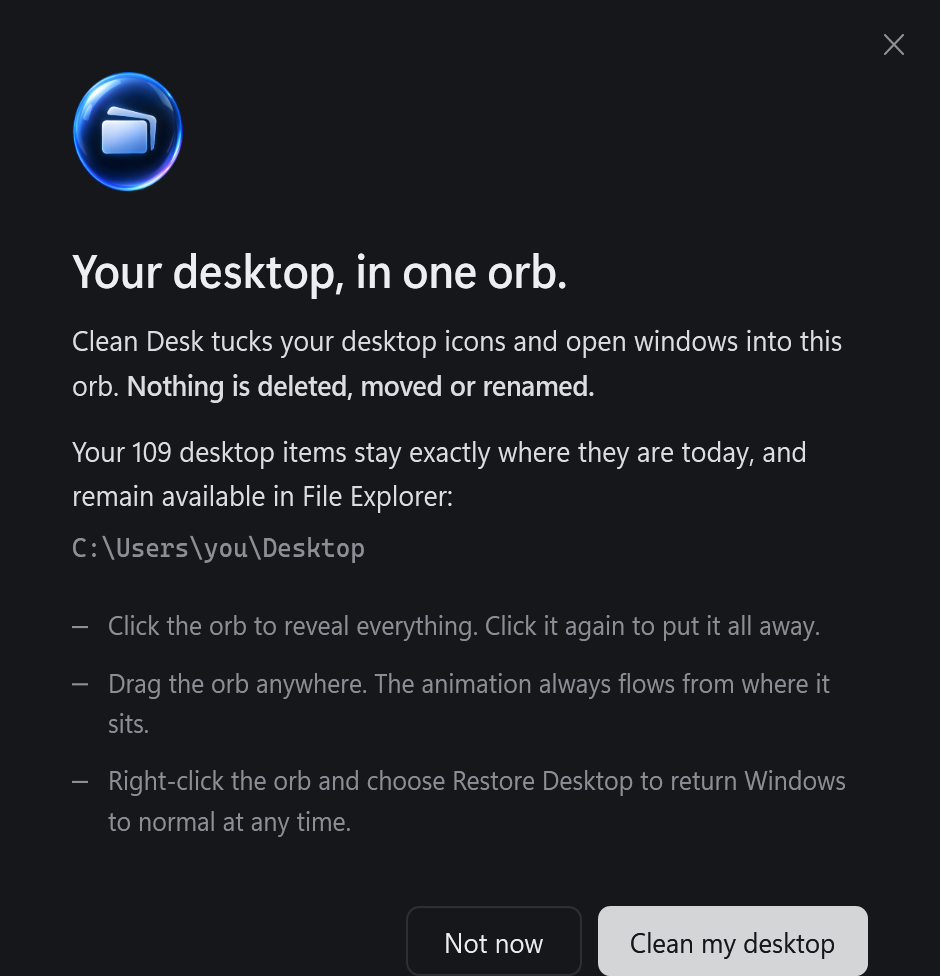
Clear from the first secondA welcome card shows exactly where your files stay.
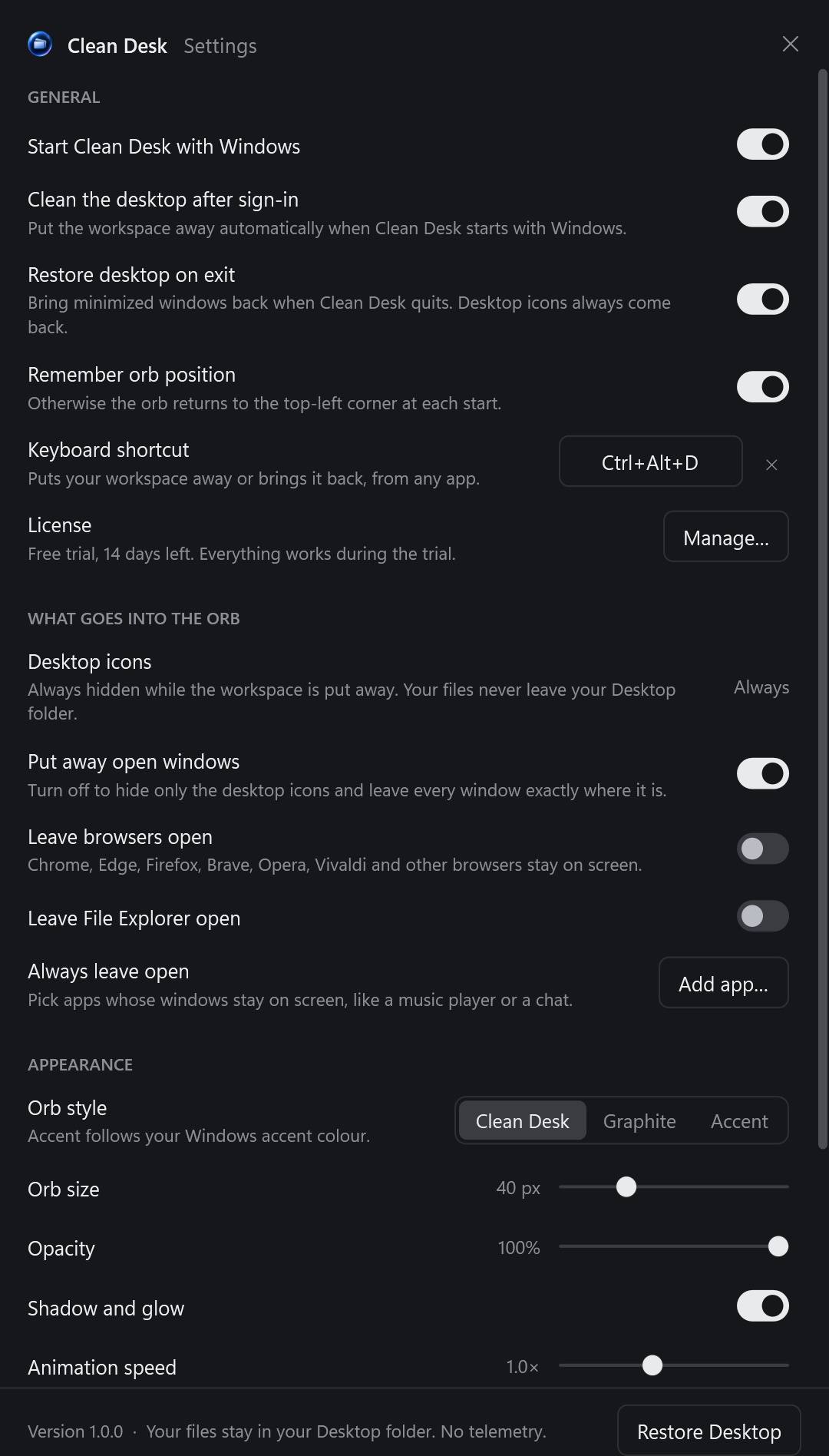
Just the settings that matterStart with Windows, your keyboard shortcut, what goes into the orb, orb style and animation.
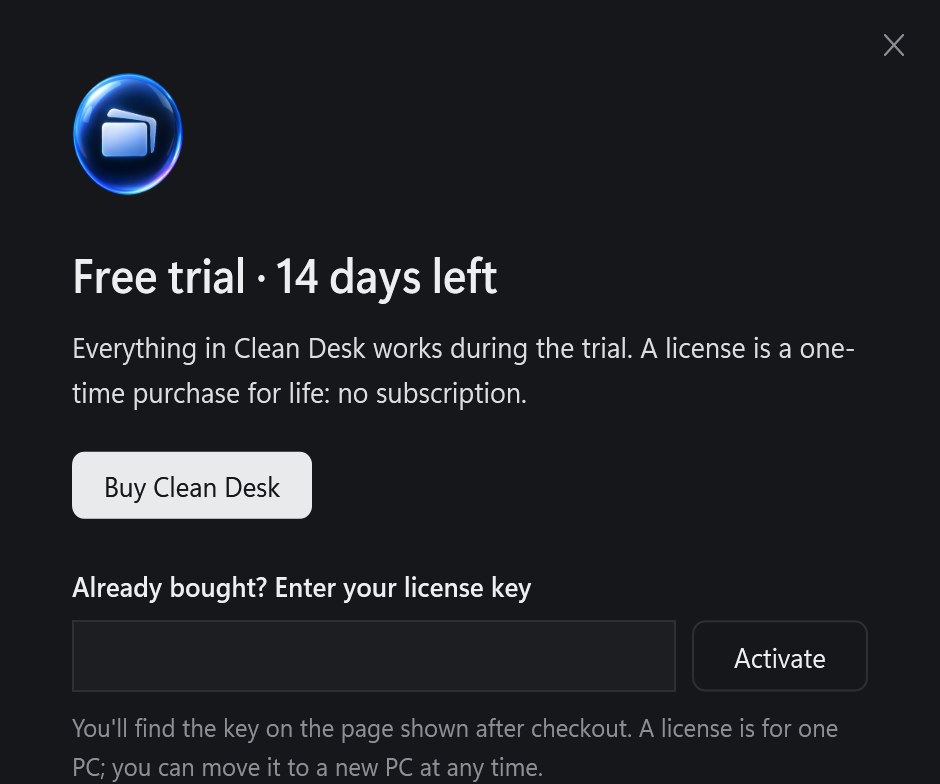
Try it, then keep itBuy from inside the app and it activates itself.
Pay once. Keep it for life.
No subscription. Try everything free for 14 days first.
Launch price
$29.99$39.99
one-time · lifetime license
For the first 1,000 customers
Every feature, including all 1.x updates
For one PC. Move it to a new PC whenever you like
Works offline once activated
Activates itself right after checkout
Secure checkout by Stripe. Your license key is shown right after payment.
Questions
Will Clean Desk delete or move my files?
No. It never deletes, moves or renames anything. Your desktop icons are only hidden from view; the files stay in your Desktop folder and you can open them in File Explorer at any time.
Does it close my apps?
No. Windows are minimized, exactly as if you'd clicked the minimize button, and they keep running. They're still in your taskbar, and they return to their exact size, position and order.
What happens when the trial ends?
Clicking the orb still brings everything back, so you're never locked out of your own desktop. Putting it away again needs a license.
Can I use it on more than one PC?
A license is for one PC at a time. Getting a new PC? In Clean Desk, choose License… → Deactivate this PC, then enter your key on the new one.
Is there a keyboard shortcut?
Yes. Ctrl+Alt+D works from any app, exactly like clicking the orb. You can change it or turn it off in Settings → Keyboard shortcut.
Does it need an internet connection?
Only to buy and activate. After that it works offline, and quietly re-confirms your license about once a day when you're online.
Which Windows versions are supported?
Windows 11, and Windows 10 version 2004 or later. No administrator rights are needed; it installs for your account only.
Windows says "Windows protected your PC". Is it safe?
That's SmartScreen being cautious about a new app it hasn't seen many downloads of. Click More info → Run anyway.
How do I get my normal desktop back or uninstall?
Right-click the orb → Restore Desktop and quit, or uninstall it from Settings → Apps like any other app. Your desktop returns exactly as it was.
Try Clean Desk free for 14 days
One small download. Everything included. No account.